Claude Code with Synaplan — Anthropic-Compatible API
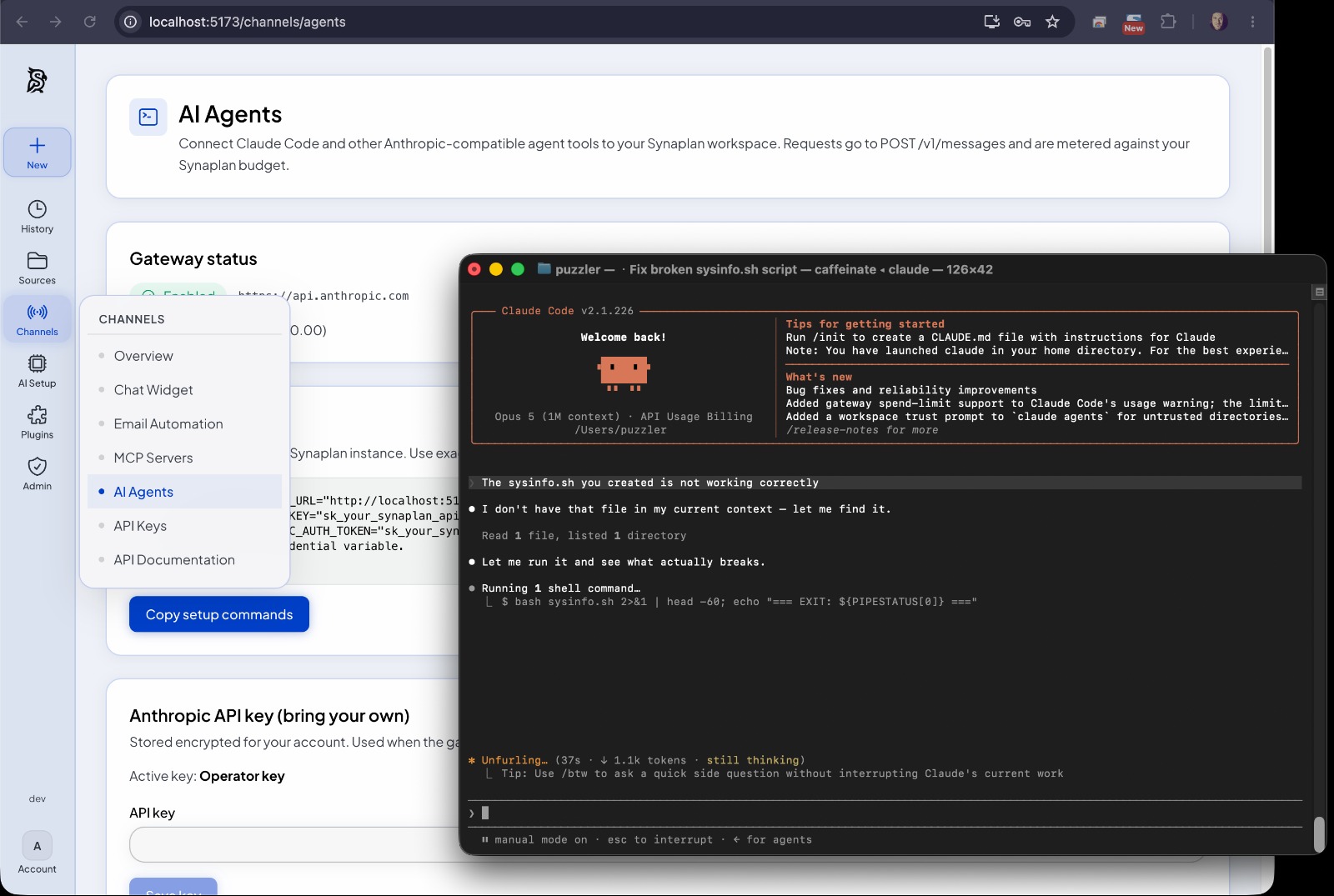
Synaplan ships an Anthropic Messages API-compatible gateway, so Claude Code — and any other client that speaks the Anthropic protocol — can use your Synaplan instance as its backend. You keep one API key, one budget, one statistics page, and full control over which upstream models serve the traffic.
The gateway lives at
POST /v1/messages(Claude Code calls/v1/messages?beta=true). This is not Synaplan's native chat SSE at/api/v1/messages/stream— the two share nothing but a similar name.
Why route Claude Code through Synaplan?
- One key, metered like everything else — requests show up in your usage statistics with their own Messages API channel, count against your Synaplan budget (when the operator key pays), and respect your rate limits.
- A session trail in your chat list — each Claude Code session gets a rolling 2–3 sentence AI summary chat, so you can always see what was transported over the API.
- Bring your own key or use the operator's — per-user encrypted Anthropic keys with an optional install-wide fallback.
- Any model, not just Claude — catalog chat models on Anthropic, Gemini,
or an OpenAI-compatible host (OpenAI, Groq, Mistral, xAI, HuggingFace,
TrustedTokens, Perplexity, Ollama, admin-registered endpoints) work.
MODEL_ALIASEScan still remap Claude Code's built-in model IDs.
Setup (three steps)
1. Enable the gateway (admin, once per install)
An administrator opens Manage → Developer & devices → Coding clients and turns on Enable Messages gateway. On the same page the admin decides the key policy:
- Allow operator key — users without their own Anthropic key use the install-wide key; their usage is billed against their Synaplan cost budget.
- BYO keys only (default) — every user saves their own Anthropic API key.
2. Get your credentials (user)
- Create a Synaplan API key under Manage → Developer & devices → API Keys (
sk_…). - Optional: save your own Anthropic key under Manage → Assistants → Your AI
accounts (
/ai/providers, section Anthropic; Coding clients links there). BYO keys require at least the Pro plan — in exchange your gateway traffic is metered at zero cost (usage statistics only, your Synaplan budget is never charged, because Anthropic bills your key directly).
3. Point Claude Code at Synaplan
export ANTHROPIC_BASE_URL="https://your-synaplan-host"
export ANTHROPIC_API_KEY="sk_your_synaplan_api_key"
# or: export ANTHROPIC_AUTH_TOKEN="sk_your_synaplan_api_key"
claude
Set exactly one credential variable: ANTHROPIC_API_KEY is sent as
x-api-key, ANTHROPIC_AUTH_TOKEN as Authorization: Bearer. Setting both
is the most common foot-gun.
To make this permanent, add the two export lines to your shell profile
(~/.zshrc or ~/.bashrc), or put them in Claude Code's
settings.json
under env.
The Manage → Developer & devices → Coding clients page shows this exact snippet with your host pre-filled, plus a copy button.
Endpoints
| Method | Path | Notes |
|---|---|---|
POST |
/v1/messages |
Inference; streaming SSE when stream: true |
POST |
/v1/messages/count_tokens |
Proxied for Anthropic models, 404 otherwise (Claude Code then estimates locally) |
GET |
/v1/models |
Model discovery (shared with the OpenAI-compatible API) |
Authentication uses the same Synaplan API keys as the
OpenAI-compatible API: x-api-key: sk_… or
Authorization: Bearer sk_….
Billing: whose key pays?
| Key serving the request | Cost | Requirement |
|---|---|---|
| Operator key (install-wide) | Metered at real model cost against your Synaplan budget — a 429 stops requests once the budget is exhausted, and a one-time notice appears at ≥90% |
Admin enabled Allow operator key |
| Your own Anthropic key (BYO) | Metered at zero cost — tokens appear in statistics, your Synaplan budget is untouched | Pro plan or higher |
Every response carries x-synaplan-budget-percent and
x-synaplan-budget-remaining headers so scripts can react before hitting the
wall.
See what happened: statistics & session summaries
- Usage (Account → Usage,
/statisticsin the app) breaks usage down by communication channel — Messages API, OpenAI API, Web, Widget, MCP, … — and the activity log shows a channel column per request. Administrators see every account on the Usage tab of Operate → Overview. - Session summary chats: each API session appears as a chat in your normal chat list (marked with a console icon), holding a rolling 2–3 sentence summary of what the session did. Summaries are generated asynchronously by your configured sorting model — fast and cheap — and are metered like any other usage.
Using non-Claude models
Admins can map Claude Code model IDs to any catalog model via
model aliases (Manage → Developer & devices → Coding clients), e.g. point
claude-sonnet-4-5 at a Gemini or OpenAI model. The gateway translates the
Anthropic wire format transparently:
- OpenAI — Chat Completions, including tool calls
- Google/Gemini —
generateContent/streamGenerateContent
Anthropic-only fields (e.g. thinking) are stripped before the upstream
call. This works technically; note that Anthropic does not officially support
running Claude Code against non-Claude models.
Claude Code + your knowledge base (MCP)
For RAG and memories inside Claude Code, prefer the native MCP connection over server-side context injection:
claude mcp add --transport http synaplan https://your-synaplan-host/mcp \
  --header "Authorization: Bearer sk_your_synaplan_api_key"
Claude Code then discovers rag_search, memory_search and the other
Synaplan tools by itself and calls them when useful.
Platform configuration (self-hosting)
The gateway is controlled by BCONFIG flags (group MESSAGES_GATEWAY).
Defaults are off except budget notices and session summaries — and
nothing applies until the master switch is on:
| Setting | Default | Meaning |
|---|---|---|
ENABLED |
0 |
Master switch |
ALLOW_OPERATOR_KEY |
0 |
Fall back to the install-wide Anthropic key |
UPSTREAM_URL |
https://api.anthropic.com |
Global upstream (HTTPS; plain http only for loopback/private hosts) |
MODEL_ALIASES |
{} |
Map Claude Code model IDs → catalog IDs |
BUDGET_NOTICE_ENABLED |
1 |
One-time ≥90% budget notice in the response |
SESSION_SUMMARY_ENABLED |
1 |
Per-session AI summary chat (uses the sorting model) |
MCP_TOOLS_ENABLED |
0 |
Inject the user's MCP catalog and run a server-side tool loop |
MCP_TOOLS_WITH_CLIENT_TOOLS |
0 |
Also inject when the client already sent tools (Claude Code brings its own) |
MCP_MAX_ITERATIONS |
8 |
Max LLM↔tool rounds per request |
CONTEXT_INJECTION_ENABLED |
0 |
Append a session-stable RAG/memory system block |
WEB_SEARCH_MODE |
auto |
What happens to a client's web_search tool declaration: auto (Synaplan runs the search when a search provider is configured, else pass through), synaplan, passthrough (only api.anthropic.com can honour it), off |
WEB_FETCH_MODE |
auto |
web_fetch declarations: auto / passthrough (leave it to Anthropic) or off (drop them) — Synaplan never executes the fetch itself |
VISION_MODE |
auto |
Image blocks in a request: auto (route to the account's vision model when the resolved model cannot see images), synaplan (always use the account's vision model), passthrough (leave images on the wire for the upstream), or off |
VISION_IMAGE_DETAIL |
auto |
Resolution handed to the vision model: auto, low (fewest image tokens) or high |
VISION_MAX_IMAGES |
0 |
Cap on images per request (0 = no extra cap) |
All of the user-facing switches are also editable in the
Manage → Developer & devices → Coding clients UI. The seeded defaults are inserted on container
start (insert-if-missing), so an operator's explicit value survives every
deploy. The same gateway serves Synaplan Desktop: a paired desktop
key (desktop:messages) may call /v1/messages, /v1/assistants,
/v1/models/catalog, /v1/media/generate and /v1/audio/speech for its
project companion, so an instance that wants Desktop chat needs ENABLED on.
Troubleshooting
| Symptom | Cause & fix |
|---|---|
403 Messages gateway is disabled |
Admin has not enabled the gateway — Manage → Developer & devices → Coding clients |
401 No API key available for provider |
No BYO key saved and operator fallback is off — save a key or ask the admin to allow the operator key |
403 … requires at least the Pro plan |
BYO keys need a Pro plan or higher — upgrade, or use the operator key |
404 The model … does not exist |
The requested model is not active in the catalog — activate it or add a model alias |
429 Synaplan cost budget exceeded |
Monthly budget used up — top up or wait for the next billing period |
| Claude Code hangs / no streaming | Both ANTHROPIC_API_KEY and ANTHROPIC_AUTH_TOKEN set — unset one; also check any proxy buffers SSE |
See also
- MCP Server & Client — connect Claude Code to your knowledge base
- Interactive API (Swagger) — the OpenAI-compatible sibling
- REST Architecture
- Code Examples
- Claude Code documentation (Anthropic)